apex文件上传流程如下: 创建一个自定义的表,用于保存上传的文件 下一步就是需要将APEX_APPLICATION_TEMP_FILES表中的数据保存起来,创建一个processing,语句如下 最后创建一个提交页面的按钮,提交页面后就保存到数据库了。 创建一个名为 创建一个名为 附件删除的步骤与附件下载相同,一样是创建一个名为 在下载报表那里加多一个字段,字段设置为link,request值为
创建自定义表
create table bhsc_files
as select *
from APEX_APPLICATION_TEMP_FILES
 where 1=2;
创建页面项(page item)
file browser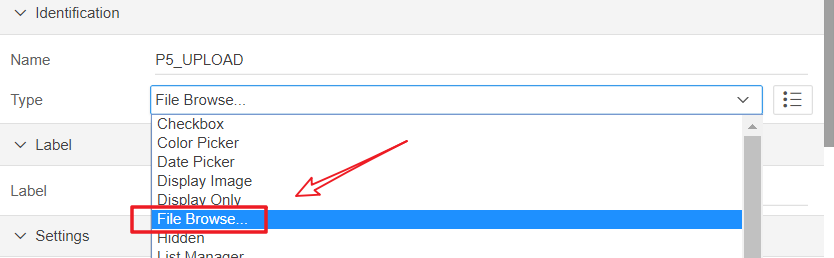
Table APEX_APPLICATION_TEMP_FILES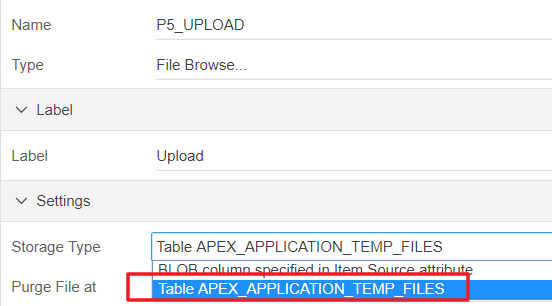
End of Request
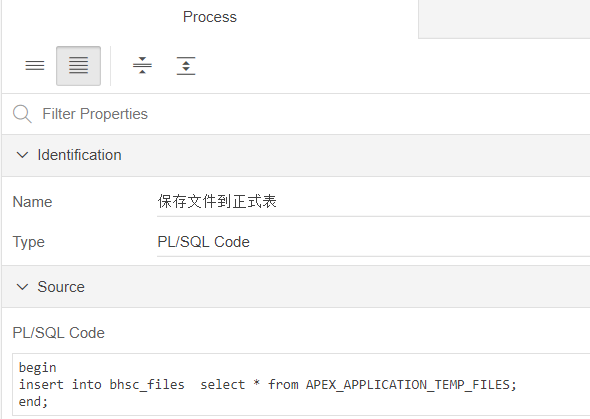
创建页面Processing
begin
insert into bhsc_files  select * from APEX_APPLICATION_TEMP_FILES;
end;
创建提交页面的button
附件下载

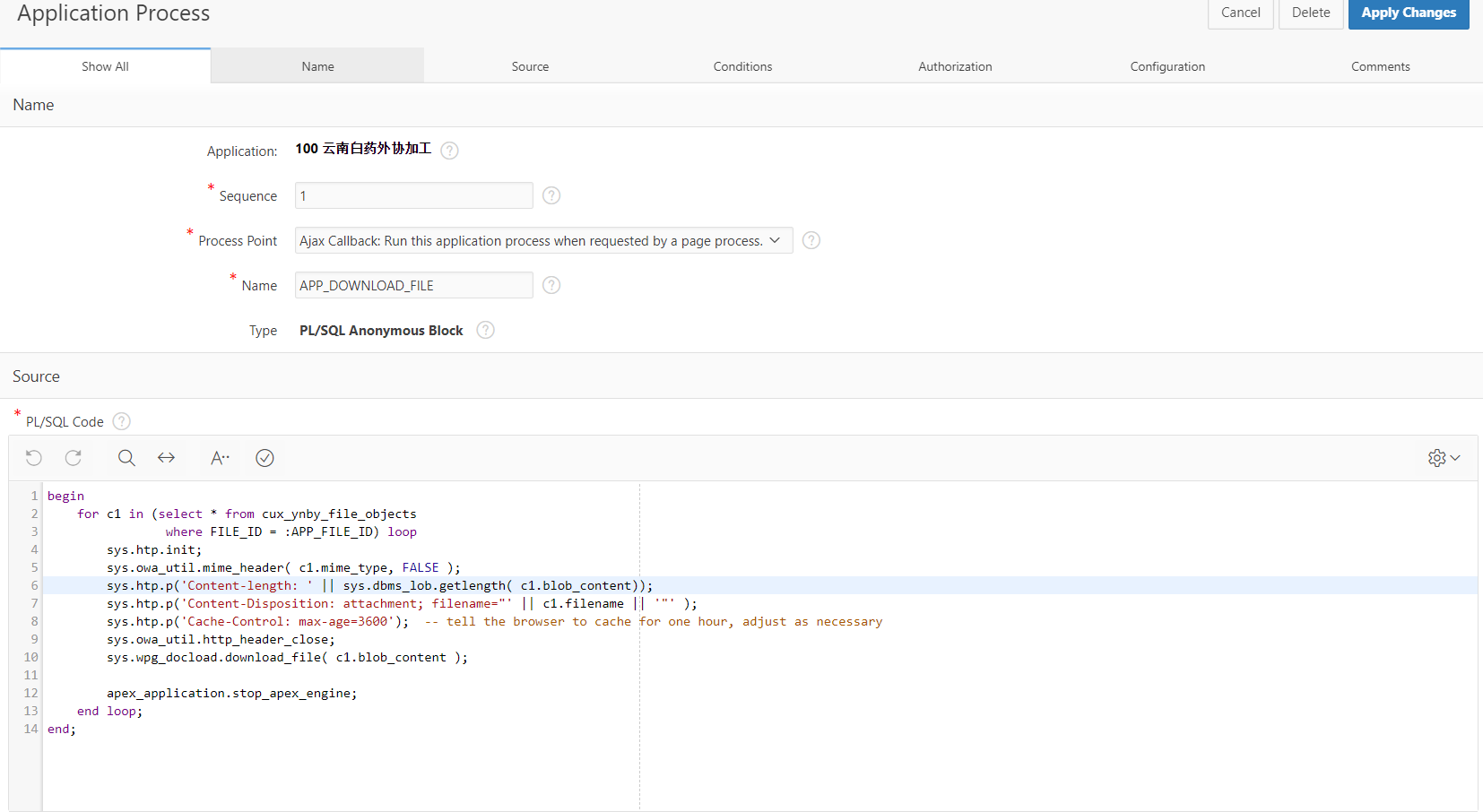
APP_FILE_ID的Application item , scope为 Application,Session State Protection为 UnrestrictedAPP_DOWNLOAD_FILE,Process Point为 Ajax Callback的过程,代码如下:begin
for c1 in (select * from bhsc_files
where id = :APP_FILE_ID) loop
sys.htp.init;
sys.owa_util.mime_header( c1.mime_type, FALSE );
sys.htp.p('Content-length: ' || sys.dbms_lob.getlength( c1.blob_content));
sys.htp.p('Content-Disposition: attachment; filename="' || c1.filename || '"' );
sys.htp.p('Cache-Control: max-age=3600'); -- tell the browser to cache for one hour, adjust as necessary
sys.owa_util.http_header_close;
sys.wpg_docload.download_file( c1.blob_content );
apex_application.stop_apex_engine;
end loop;
end;
select id,name,filename,null download_link from bhsc_files
link,target为 page in this application,page为 0,set item设置 APP_FILE_ID为 #ID#,advanced那里设置request值为 APPLICATION_PROCESS=APP_DOWNLOAD_FILE 具体信息如下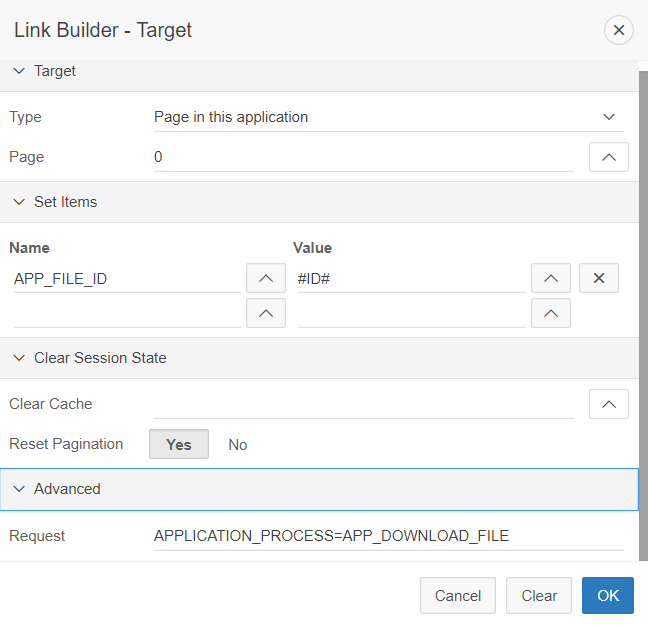
附件删除
APP_DELETE_FILE的Application Processes,代码如下begin
for c1 in (select * from bhsc_files
where id = :APP_FILE_ID) loop
delete from bhsc_files where id = :APP_FILE_ID;
end loop;
end;
APPLICATION_PROCESS=APP_DELETE_FILE